 Screenshots Clipboard
How do I make a how-to guide from screenshots?
A how-to usually means pasting screenshots into a doc one by one, resizing each, numbering the steps by hand and exporting a PDF that never looks quite right.
Screenshots Clipboard is a Chrome and Edge extension that turns the shots you pick into A4 or Letter pages you can type on, saved as a PDF. The How-to guide is free up to 5 pages; Plus adds SOP, Training and six more templates for $2.99 a month or $19 a year.
Beta. Coming soon to the Chrome Web Store and Microsoft Edge Add-ons.

How it works
Take a shot of each step
Click Visible, Full page or Area on each screen. Each shot is picked and numbered as it lands.
Press Make guide
Each picked shot becomes a page with a step title and a line to type in. Switch templates in one click and your words and marks stay.
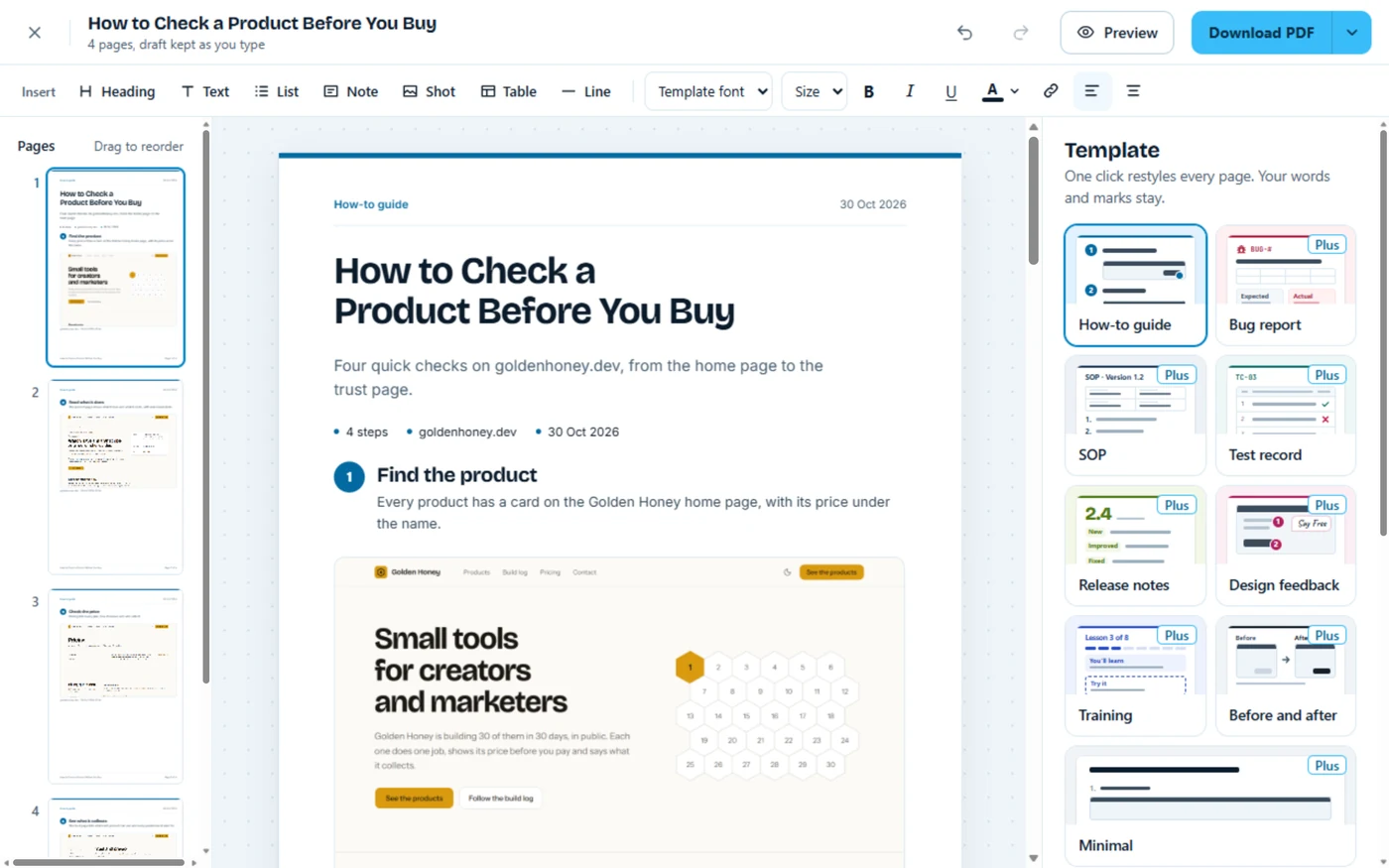
Save the PDF
Download a PDF on A4 or Letter. With Plus, save page images or a collection, or a guide of any length.
What it can’t do
Free guides use the How-to guide template and save up to 5 pages; the other eight templates and longer guides come with Plus.
Questions about Screenshots Clipboard
Can I make an SOP?
Yes, with Plus: switch to the SOP template in one click, and your words and marks stay where they are.
Is the PDF A4 or Letter?
Either. Pick A4 or Letter under Paper, and the pages and the PDF follow it.
What can I write guides about?
Anything on a web page: how to export last month’s invoices for a client, or how to pay a bill with UPI, step by step, for your parents.